Перейти к содержанию
View in the app

A better way to browse. Learn more.

Dr.Head Forum. Всё можно послушать!

A full-screen app on your home screen with push notifications, badges and more.

To install this app on iOS and iPadOS
  1. Tap the Share icon in Safari
  2. Scroll the menu and tap Add to Home Screen.
  3. Tap Add in the top-right corner.
To install this app on Android
  1. Tap the 3-dot menu (⋮) in the top-right corner of the browser.
  2. Tap Add to Home screen or Install app.
  3. Confirm by tapping Install.

sudoku

Пользователи
  • Зарегистрирован

  • Посещение

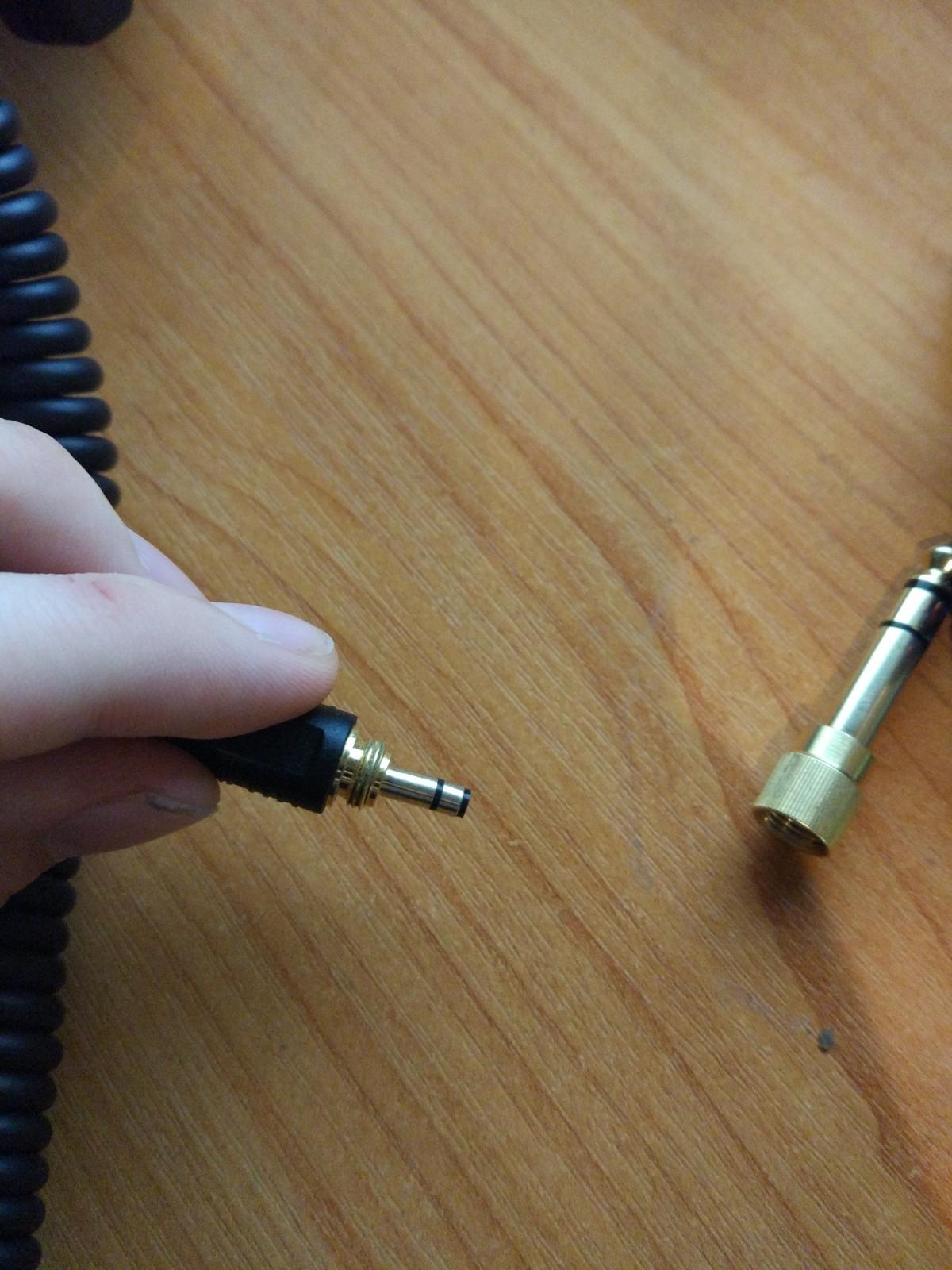
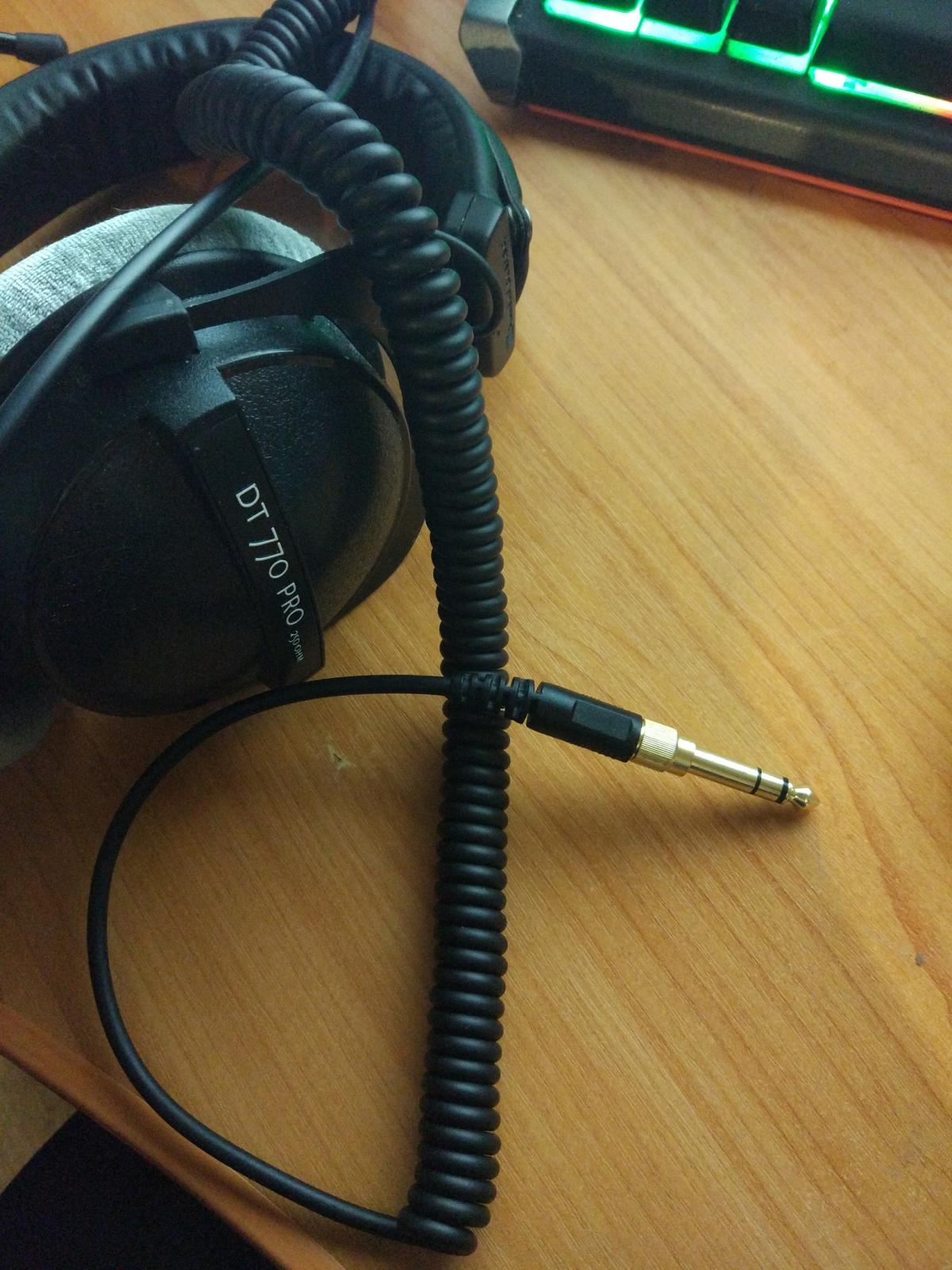
  1. Здравствуйте, столкнулся с такой проблемой, не знаю что делать. Пару месяцев назад мне пришли мои наушники, всё это время пользовался ими и не было никаких проблем, но сегодня, по какой-то загадочной причине, открутив джек, я обнаружил, что штекер обломился. Больше звука нет, кончик штекера застрял в джеке. Нуждаюсь в совете, спасибо
Account

Navigation

Поиск

Поиск

Configure browser push notifications

Chrome (Android)
  1. Tap the lock icon next to the address bar.
  2. Tap Permissions → Notifications.
  3. Adjust your preference.
Chrome (Desktop)
  1. Click the padlock icon in the address bar.
  2. Select Site settings.
  3. Find Notifications and adjust your preference.