
Перейти к содержанию
View in the app

A better way to browse. Learn more.

forum.doctorhead.ru - форум по наушникам.

A full-screen app on your home screen with push notifications, badges and more.

To install this app on iOS and iPadOS
  1. Tap the Share icon in Safari
  2. Scroll the menu and tap Add to Home Screen.
  3. Tap Add in the top-right corner.
To install this app on Android
  1. Tap the 3-dot menu (⋮) in the top-right corner of the browser.
  2. Tap Add to Home screen or Install app.
  3. Confirm by tapping Install.

jaap

Пользователи
  • Зарегистрирован

  • Посещение

  1. Ответ Brainwavz Hi, This issue is a defect in workmanship and is covered under replacement warranty. Please note that if something goes wrong while you fix the defect then the warranty will become void. I highly recommend that you go through the replacement process with us, you need not return the earphones to us in the process but it is required in the process. Please get back to us with the order number at your earliest convenience. Thanks Sowmya K.
  2. Ага филтр мягкого звучания
  3. jaap опубликовал тема в Наушники для плеера
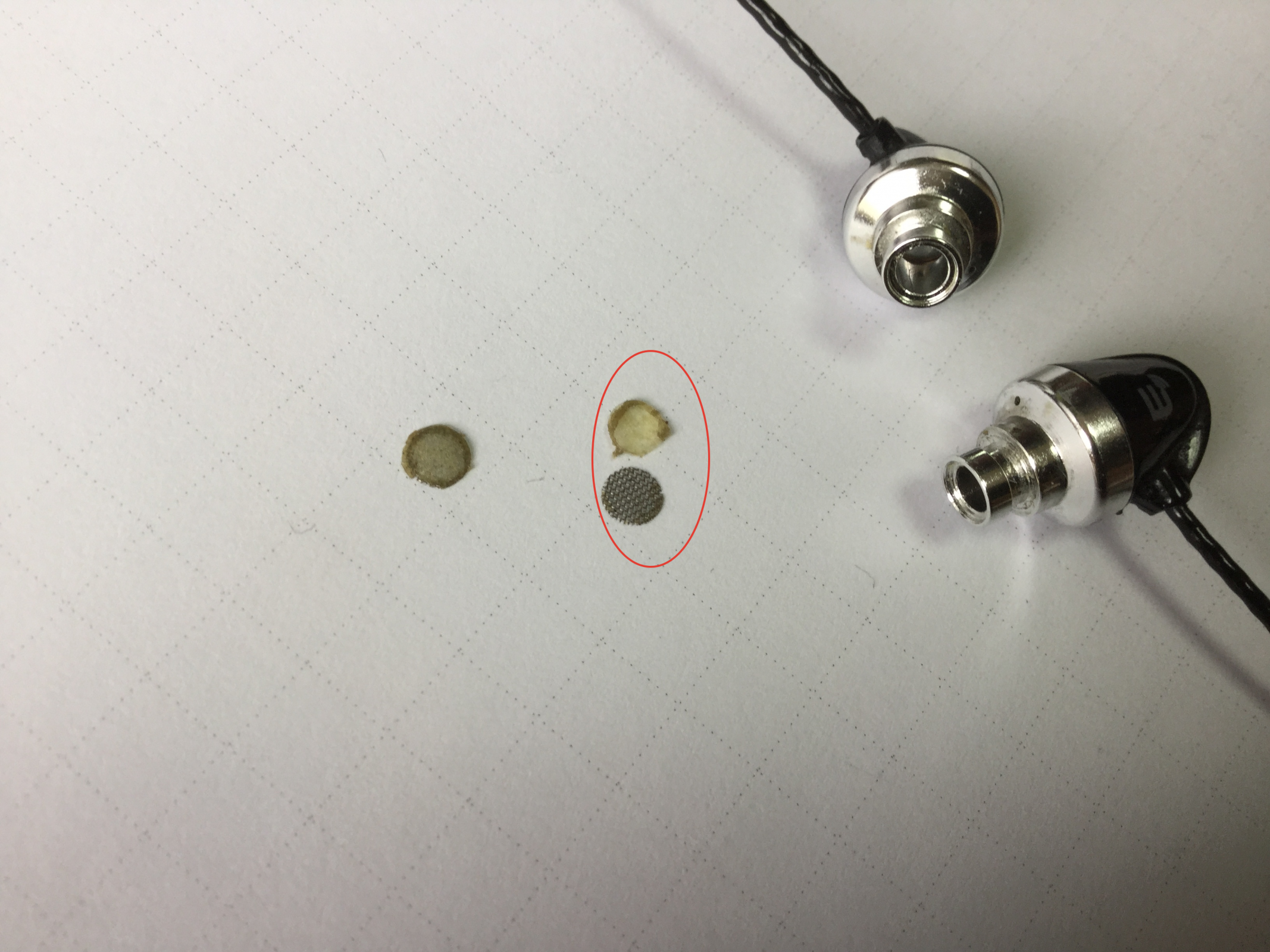
    Сковырнул защитные сетки, они оказались полностью залитые клеем. Я мож что пропустил и это новое слово в звукоделание?
  4. Лопнула пополам душка у sennheiser hd580, можно ли ее заменить и сколько будет стоить?
Account

Navigation

Поиск

Поиск

Configure browser push notifications

Chrome (Android)
  1. Tap the lock icon next to the address bar.
  2. Tap Permissions → Notifications.
  3. Adjust your preference.
Chrome (Desktop)
  1. Click the padlock icon in the address bar.
  2. Select Site settings.
  3. Find Notifications and adjust your preference.