
Перейти к содержанию
View in the app

A better way to browse. Learn more.

forum.doctorhead.ru - форум по наушникам.

A full-screen app on your home screen with push notifications, badges and more.

To install this app on iOS and iPadOS
  1. Tap the Share icon in Safari
  2. Scroll the menu and tap Add to Home Screen.
  3. Tap Add in the top-right corner.
To install this app on Android
  1. Tap the 3-dot menu (⋮) in the top-right corner of the browser.
  2. Tap Add to Home screen or Install app.
  3. Confirm by tapping Install.

manul

Пользователи
  • Зарегистрирован

  • Посещение

Весь контент manul

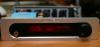
  1. У меня Digma iDx8 Android 4.0.3 Подключил внешний аудио ЦАП, ЦАП отобразил подключение как 44.1КГц (если ЦАП не определяется, то обычно пишется "NO SAMPLE"). Т.е. планшет видит цап, но не выводит звук по USB на него. Пожалуйста, подскажите, как вывести звук по USB? Может дополнительно софт нужен, миксер....?
Account

Navigation

Поиск

Поиск

Configure browser push notifications

Chrome (Android)
  1. Tap the lock icon next to the address bar.
  2. Tap Permissions → Notifications.
  3. Adjust your preference.
Chrome (Desktop)
  1. Click the padlock icon in the address bar.
  2. Select Site settings.
  3. Find Notifications and adjust your preference.